|


 Send Inquiry
 Send SMS
 Call Me Free



 English
 Spanish
 French
 German
 Italian
 Chinese (Simplified)
 Japanese
 Korean
 Arabic
 Portuguese
 Send Inquiry
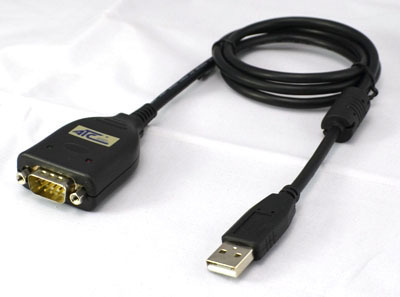
UTC-883 USB to 232 Converter
Price 1600 INR/ Piece
MOQ : 1 Piece
UTC-883 USB to 232 Converter Specification
- Temperature
- -20°C to 75°C
- Application
- Data Transfer, Serial Device Connectivity
- Connector
- USB Male to DB9 Male
- Material
- Copper
- Voltage Rating
- 5V
- Connector Type
- USB to RS232
- Pairs
- 1 Pair
- Male End Type
- USB Type-A, RS232 DB9
- Insulation
- PVC
- Outer Diameter
- 5.0 mm
- Jacket Material
- PVC
- Number of Conductor
- 4
- Wire Gauge
- 28 AWG
- Flame Resistance Level
- UL VW-1
- Cable Type
- Converter Cable
- Color
- Black
- Length
- 1.5 Meter
- Sheild
- Braid Shield
- Cable Length
- 1.5 Meter
- Dimensions
- Cable length 1.5 meter
- Power Source
- USB Powered
- Weight
- Approx. 80 gm
- Serial Port
- DB9 Male
- Chipset
- FTDI/Prolific (Model Dependent)
- Operating Current
- < 100mA
- Transmission Rate
- Up to 1 Mbps
- Compatibility
- Windows, Mac, Linux
- Driver Requirement
- Driver Required for Some OS
- Operating Humidity
- 10% - 90% non-condensing
- Compliance
- RoHS, CE
UTC-883 USB to 232 Converter Trade Information
- Minimum Order Quantity
- 1 Piece
- Supply Ability
- 100 Pieces Per Month
- Delivery Time
- 7 Days
About UTC-883 USB to 232 Converter
UTC-883 USB to 232 Converter Technical Details
| Approval | Fcc, CE, Rohs |
| Warranty | 1 year |
| Support OS | Windows95/98/2000/XP/Vista/Server2003/Mac OS-X/OS9/Linux/WIN7 |
| Model Number | UTC-883 |
| Communication Indicator Type | RS-232 to USB |
| Power Supply (V) | Port Powered |
| Connector Type | DB9 |
| Color | Black |
| Brand | UTC |
| Isolated Converter | No |
| Minimum Order Quantity | 1 Piece |
Efficient Data Transfer Across Devices
The UTC-883 USB to 232 Converter bridges the gap between legacy serial devices and modern USB-equipped computers. Its high-speed transmission rate up to 1 Mbps allows for quick and stable data communication, making it suitable for diverse environments and industries. With universal OS compatibility and easy installation, workflow integration is streamlined.
Quality and Durable Build
Equipped with braid shielding, flame-resistant PVC insulation, and a robust copper conductor, the UTC-883 ensures reliable and safe connectivity even in challenging conditions. The 1.5-meter cable and compact design simplify workplace setup, while RoHS and CE compliance guarantee safety and environmental responsibility.
FAQs of UTC-883 USB to 232 Converter:
Q: How do I install the UTC-883 USB to 232 Converter on different operating systems?
A: To install the UTC-883 on Windows, Mac, or Linux, simply plug the USB connector into your computer. Some operating systems may require drivers, especially for specific chipsets (FTDI or Prolific). Refer to the included documentation or manufacturers website for the appropriate drivers.Q: What types of devices can I connect using this converter?
A: You can use the UTC-883 to connect serial devices that utilize a DB9 male RS232 port, such as industrial equipment, point-of-sale systems, laboratory instruments, and modems, to computers with USB Type-A ports for data transfer and device management.Q: When is a driver required for operating this converter?
A: A driver may be necessary if your operating system does not natively support the chipset used (FTDI or Prolific) within the UTC-883. Check your OS compatibility or install available drivers for optimal functionality, especially for older versions of Windows or Mac systems.Q: Where can this converter be utilized effectively?
A: The UTC-883 is suitable for environments such as industrial automation, laboratories, commercial workstations, and IT maintenance, anywhere serial devices need to interface with USB computers. Its durability supports reliable use across varied settings.Q: What is the process for data transmission with the UTC-883 converter?
A: Data transmission involves connecting the USB end to your computer and the DB9 male connector to the serial device. After ensuring correct driver installation (if required), data can be transferred reliably at speeds up to 1 Mbps, with stable operation ensured by quality shielding and build.Q: How does using the UTC-883 benefit my workflow?
A: The main benefits include seamless connectivity between new computers and legacy serial devices, high transmission rates for efficient data exchange, universal OS compatibility, and reliable build for uninterrupted operation. Its simple plug-and-play setup also reduces installation time.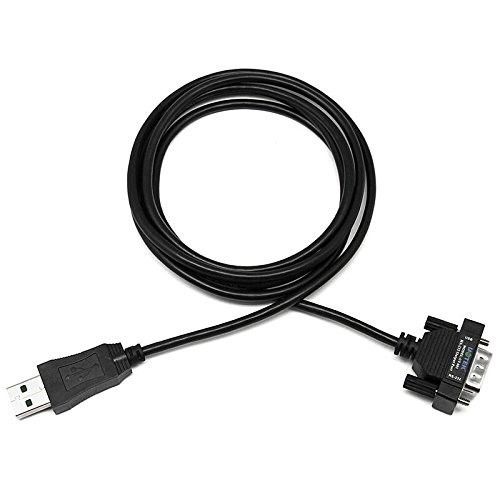
Tell us about your requirement

Price:
Quantity
Select Unit
- 50
- 100
- 200
- 250
- 500
- 1000+
Additional detail
Mobile number
Email

More Products in USB To Serial Converter Category
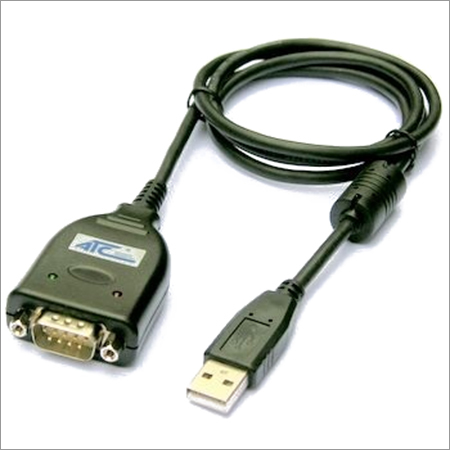
ATC-830 USB To Serial Converter
Price 1850 INR / Piece
Minimum Order Quantity : 1 Piece
Flame Resistance Level : UL VW1
Male End Type : USB Male
Length : 1.5 Meter
Color : Black
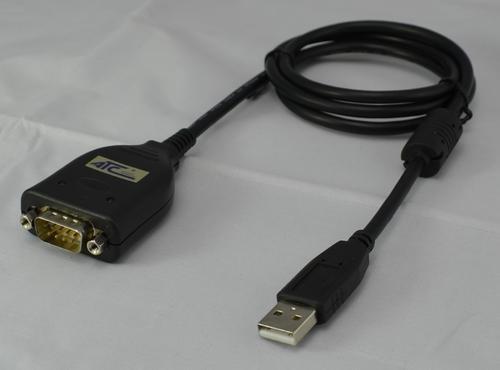
ATC-840 USB To RS-422 Converter
Price 2100 INR / Piece
Minimum Order Quantity : 1 Piece
Flame Resistance Level : UL94V0
Male End Type : USB Type A male
Length : 1.2 meter (standard)
Color : Black
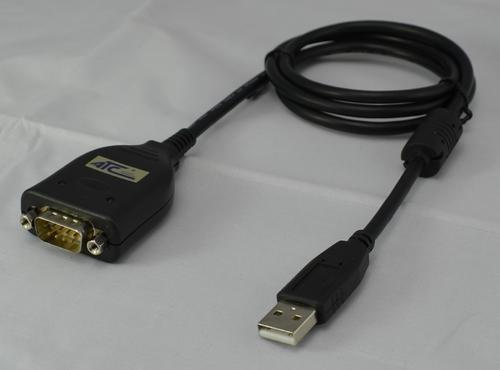
ATC-810 USB TO Serial Converter
Price 1800.0 INR / Piece
Minimum Order Quantity : 1 Number
Flame Resistance Level : UL 94V0
Male End Type : USB A Male
Length : 1.5 Meter Meter (m)
Color : Black
ATC-820 USB To Serial Converter
Price 1850 INR / Piece
Minimum Order Quantity : 1 Piece
Flame Resistance Level : UL94V0
Male End Type : USB Type A, RS232 DB9
Length : 1.5 Meter
Color : Black

Contact Details
MICON AUTOMATION SYSTEMS PVT. LTD.
GST : 24AAECM7879C1ZB
GST : 24AAECM7879C1ZB

- B No A-814, OFF S.G. HIGHWAY, B/H DCP OFFICE, MAKARBA,Ahmedabad - 380051, Gujarat, India
- Phone : 08045479004

- Mr Niket S Gorakhia (Director)
- Mobile : 08045479004
- niket@miconindia.com
 Send Inquiry
 Send Inquiry
 Send SMS
 Call Me Free
 |
MICON AUTOMATION SYSTEMS PVT. LTD.
All Rights Reserved.(Terms of Use) Developed and Managed by Infocom Network Private Limited. |
